
GVS Pro1.1 - Google Play
You'll be able to see results in few seconds.
Publisher Description
Access apps and phone features fast with voice commands and drawn gestures! De-clutter your homescreen and run all of your favourite apps from one simple interface.
GVS Pro combines Voice ShortCuts Launcher and Gesture Shortcuts Launcher into one convenient, ad-free app, including all the features of both these apps, as well as adding a whole bunch of new features!
What's new in GVS Pro compared to voice or gesture shortcuts launcher?
No ads!
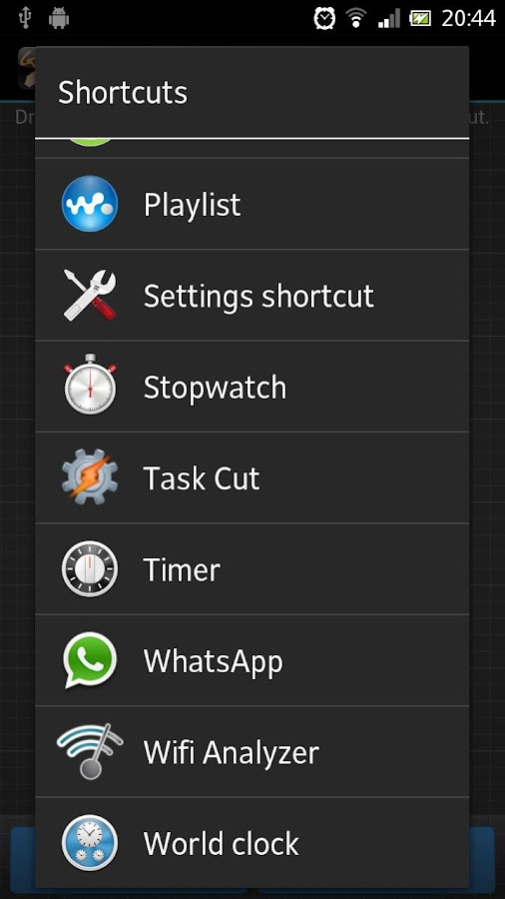
-Run Multiple Actions from one shortcut,
-Run Android Homescreen Shortcuts,
-Import all your shortcuts from Voice Shorcuts Launcher and Gesture Shortcuts Launcher,
-View a history log of actions run
-Set actions to run after a countdown
-Change the color when drawing gestures
Full Features List:
-Open App
-Open Website
-Open File (eg. png, mp4, etc)
-View Contact
-Direct Call
-Direct Message
-Direct Email
-Toggle Wifi
-Toggle Bluetooth
-Toggle Airplane Mode
-Set Silent Ringer Mode
-Set Normal Ringer Mode
-Set Vibrate Ringer Mode
-Add Widget to Home Screen
-Access from Notification Bar
-Ask Confirmation before running shortcut
-Set Gesture Sensitivity
-Added loading screen when listing installed applications to choose from.
-When unable to recognise a gesture, it lists the next highest possible matches. You can set when possible matches pops up in the settings (after 1 - 12 failed attempts) as well as choose how many matches to list (1 - 12)
-Run Multiple Actions from one shortcut,
-Run Android Homescreen Shortcuts,
-Import all your shortcuts from Voice Shorcuts Launcher and Gesture Shortcuts Launcher,
-View a history log of actions run
-Set actions to run after a countdown
-Change the color when drawing gestures
Tips/Help:
To add our widget on your home screen, simply long-press (hold your finger down) on any empty slot on your home screen, select "Widgets" and scroll across to find "GVS", then drag this onto the homepage. You're then just one click away from easily being able to call, text, toggle and open whatever you want.
While you can draw any gesture you like or say any voice command you like. We have found that gestures work better the less you take your finger off the screen when drawing your gesture. Think simple.
If you want to send us your feedback, and we hope you do, please email development@projecttrinity.co.uk
Follow us on Twitter for news and updates, http://www.twitter.com/PTDevTeam
About GVS Pro
The company that develops GVS Pro is Project Trinity. The latest version released by its developer is 1.1.
To install GVS Pro on your Android device, just click the green Continue To App button above to start the installation process. The app is listed on our website since 2012-12-28 and was downloaded 0 times. We have already checked if the download link is safe, however for your own protection we recommend that you scan the downloaded app with your antivirus. Your antivirus may detect the GVS Pro as malware as malware if the download link to uk.co.projecttrinity.gestureandvoiceshortcuts is broken.
How to install GVS Pro on your Android device:
- Click on the Continue To App button on our website. This will redirect you to Google Play.
- Once the GVS Pro is shown in the Google Play listing of your Android device, you can start its download and installation. Tap on the Install button located below the search bar and to the right of the app icon.
- A pop-up window with the permissions required by GVS Pro will be shown. Click on Accept to continue the process.
- GVS Pro will be downloaded onto your device, displaying a progress. Once the download completes, the installation will start and you'll get a notification after the installation is finished.
Program Details
System requirements
Download information
Pricing
Version History
version 1.1
posted on 2012-12-28
Fixed issue when selecting application shortcut - set icon image to fit all devices.
version 1.1
posted on 2012-12-28
Several fixes and updates
Disclaimer
Official Google Play Link
We do not host GVS Pro on our servers. We did not scan it for viruses, adware, spyware or other type of malware. This app is hosted by Google and passed their terms and conditions to be listed there. We recommend caution when installing it.
The Google Play link for GVS Pro is provided to you by apps112.com without any warranties, representations or guarantees of any kind, so access it at your own risk.
If you have questions regarding this particular app contact the publisher directly. For questions about the functionalities of apps112.com contact us.
